
Make your Teams messages feel warmer, clearer, and more natural with the right emoji shortcuts.
Have you ever sent a simple “Thanks” or “Great work” in Microsoft Teams and felt that your message sounded a little too plain? A small emoji can instantly add warmth and personality. With the right Teams emoji shortcuts, you can make everyday conversations feel friendlier without writing an extra sentence. Whether you are replying to a colleague, celebrating progress, or simply reacting to a funny message, emojis can help show the feeling behind your words.
Emojis are especially useful when text alone does not fully express your tone. A short reply can sometimes sound cold, serious, or confusing, while the right symbol can make your intention easier to understand. However, not every emoji works in every situation. Your relationship with the reader, the platform you are using, and the subject of the conversation can all change how an emoji feels.
That is why knowing common emoji meanings and practical Teams emoji shortcuts can make digital communication much easier. In this guide, you will discover useful emojis, copy-paste combinations, platform-specific tips, and simple ways to use them naturally. You will also learn why emojis may look different across devices and which familiar choices are appearing in conversations throughout.
What do Teams emoji shortcuts mean?
Teams emoji shortcuts make it easier to add visual emotion to everyday conversations. Microsoft Teams also provides an emoji picker, so you can select an emoji directly when you do not remember a keyboard shortcut.
The meaning of an emoji can change depending on the words around it. A symbol used with a coworker may feel different from the same symbol used with a close friend, so context should always come first.
| Emoji | Core meaning | Misread as | Best used when |
|---|---|---|---|
| 😊 | Warm friendliness | Forced happiness | Friendly replies |
| 😄 | Happiness and excitement | Overenthusiasm | Good news |
| 😂 | Strong amusement | Not taking things seriously | Funny messages |
| 😉 | Playfulness | Flirting | Light teasing |
| 😍 | Strong admiration | Romantic interest | Excited compliments |
| 😢 | Sadness or disappointment | Overreaction | Genuine disappointment |
| 😘 | Affection | Too personal | Close relationships |
| ❤️ | Love and care | Romantic intention | Appreciation |
| 😎 | Confidence and coolness | Showing off | Casual achievements |
| 😴 | Sleepiness and tiredness | Boredom | Bedtime messages |
❤️ Red Heart
Meaning: Deep love, affection, and emotional connection.
Example 1: I miss you ❤️
Example 2: You are my everything ❤️
😊 Smiling Face with Smiling Eyes
Meaning: Warmth, friendliness, and gentle happiness.
Example 1: Thanks for helping me 😊
Example 2: Glad to hear that 😊
😄 Grinning Face with Smiling Eyes
Meaning: Open happiness, excitement, and cheerful energy.
Example 1: We finished the project 😄
Example 2: That is great news 😄
😂 Face with Tears of Joy
Meaning: Strong amusement or laughing at something funny.
Example 1: That message made my day 😂
Example 2: I cannot stop laughing 😂
😉 Winking Face
Meaning: Playfulness, teasing, or a lighthearted tone.
Example 1: You know what I mean 😉
Example 2: I saved you a piece 😉
😍 Smiling Face with Heart-Eyes
Meaning: Strong admiration, excitement, or affection.
Example 1: This design looks amazing 😍
Example 2: Love this outfit 😍
😢 Crying Face
Meaning: Sadness, disappointment, or an emotional reaction.
Example 1: I missed the deadline 😢
Example 2: That was disappointing 😢
😘 Face Blowing a Kiss
Meaning: Affection, warmth, or a playful kiss.
Example 1: Good night 😘
Example 2: Take care 😘
😎 Smiling Face with Sunglasses
Meaning: A confident, relaxed, or playful attitude.
Example 1: Task completed 😎
Example 2: We handled it 😎
😴 Sleeping Face
Meaning: Sleepiness, tiredness, or bedtime mood.
Example 1: I am heading to bed 😴
Example 2: Too tired to think 😴
How to use Teams emoji shortcuts the right way
The best way to use emojis is to let your words carry the main message and use the emoji to support the tone. One carefully chosen emoji can make a short Teams reply feel much warmer and more natural.
WhatsApp conversations are usually more personal and expressive. Emojis can easily fit messages between friends, family members, or people who already have a comfortable relationship.
Instagram often uses emojis as part of captions, comments, and visual branding. A carefully selected combination can make a post feel more attractive without making the caption difficult to read.
TikTok has a more playful communication style. Emojis can work naturally with humor, trends, reactions, and ironic comments, especially when the surrounding text already makes the context clear.
Simple dos and don’ts
Do:
- Choose an emoji that matches your message.
- Think about who will read it.
- Keep workplace messages professional when necessary.
- Use familiar emojis for clearer communication.
Don’t:
- Add emojis to every sentence.
- Use affectionate emojis with professional contacts without considering context.
- Depend on emojis to communicate important information.
- Assume everyone will interpret an emoji in exactly the same way.
Best Teams emoji shortcuts combos — copy & paste
Need quick combinations? These copy paste emojis are easy to use when they match your conversation.
Romantic
- ❤️ 😍 — A sweet message for someone special.
- 😘 ❤️ — A warm and affectionate goodbye.
- 😍 ❤️ — A loving response to someone close.
Cute
- 😊 ❤️ — A gentle and caring reply.
- 😊 😘 — A sweet message for someone close.
- 😄 😊 — A cheerful response to good news.
Flirty
- 😉 ❤️ — A playful message with affection.
- 😉 😍 — Light teasing with admiration.
- 😘 😉 — A playful exchange with someone close.
Missing someone
- 😢 ❤️ — A heartfelt message when someone is away.
- 😢 😘 — A caring message for someone you miss.
- ❤️ 😴 — A warm late-night message for someone special.
Good night
- 😴 ❤️ — A simple caring bedtime message.
- 😴 😘 — An affectionate goodnight.
- 😊 😴 — A soft and friendly bedtime message.
Trending Teams emoji shortcuts
Familiar emojis continue to fit naturally into quick digital conversations because they communicate emotion without requiring a long explanation. Their use can be especially helpful when people are moving between workplace chats and social platforms throughout the day.
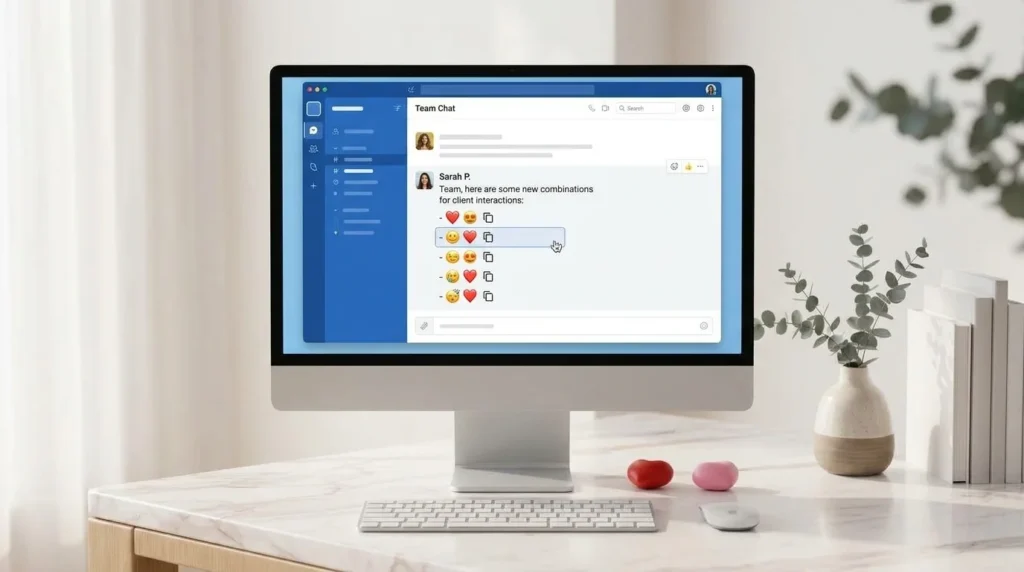
😊 remains useful for friendly replies, while 😂 fits casual humorous conversations. 😉 can bring a playful tone to an informal exchange, and 😎 works naturally when someone wants a relaxed reaction to completing a task or achieving something.
Content creators, younger digital users, and everyday chat users can all use these symbols, although the surrounding conversation changes their tone. What works on TikTok may feel different in a professional Teams conversation.
| Emoji | Why trending | Who uses it | Platform |
|---|---|---|---|
| 😊 | Simple and friendly for quick replies | Everyday chat users | Teams, WhatsApp |
| 😂 | Naturally fits online humor | Casual users and creators | Teams, TikTok |
| 😉 | Adds personality to casual messages | Social media users | Teams, Instagram |
| 😎 | Works with confident reactions | Creators and teams | Teams, TikTok |
Another important point is that emojis can look different on different devices. Apple, Google, Microsoft, and other platforms create their own visual designs for emoji characters.
The underlying emoji character can remain the same, but its face, shape, expression, or details may look slightly different on an iPhone, Android phone, Windows computer, or web application. This is why the same emoji can sometimes give a slightly different visual impression.
As online communication continues to change, emoji styles and everyday usage also adapt to new platforms, devices, and digital habits.
FAQ
1. What is the most popular Teams emoji shortcut?
There is no single emoji shortcut that is officially the most popular for every Teams user. Friendly options such as 😊 are useful because they can fit many everyday conversations.
2. What does ❤️ mean from a girl or boy?
Its meaning depends on the relationship and the surrounding message rather than the sender’s gender. It can communicate care, appreciation, affection, or romantic feelings.
3. Why do emojis look different on iPhone vs Android?
Different operating systems use their own emoji artwork. Because of this, the same emoji can have slightly different shapes, expressions, or visual details across devices.
4. Are Teams emoji shortcuts used differently in other countries?
Yes, cultural communication habits can affect how emojis are understood. The same symbol may feel casual, emotional, playful, or more formal depending on the country and conversation.
5. Can I copy and paste Teams emoji shortcuts?
You can copy and paste the actual emoji symbols from this guide into supported conversations. Teams also provides an emoji picker for quickly selecting emojis while chatting.
Conclusion
Teams emoji shortcuts are a simple way to make digital conversations feel more natural, friendly, and expressive. The key is not to use as many emojis as possible, but to choose the one that genuinely fits your message and audience.
A thoughtful emoji can soften a quick reply, add personality to a casual conversation, or make an achievement feel more exciting. Whether you are chatting on Teams, WhatsApp, Instagram, or TikTok, always let the context guide your choice. When words and emojis work together naturally, even a short message can feel warmer, clearer, and more personal.

Oliver Hayes is a digital culture writer who explores emoji meanings, online expressions, and the way people communicate through symbols. He focuses on creating clear, useful, and easy-to-understand guides that help readers choose the right emoji for every conversation.